How to optimize and read the nest
The nest is the cutting diagram: every part placed on a sheet, numbered to match the saw list.
What is on the sheet
An annotated sheet. The numbers match the list.
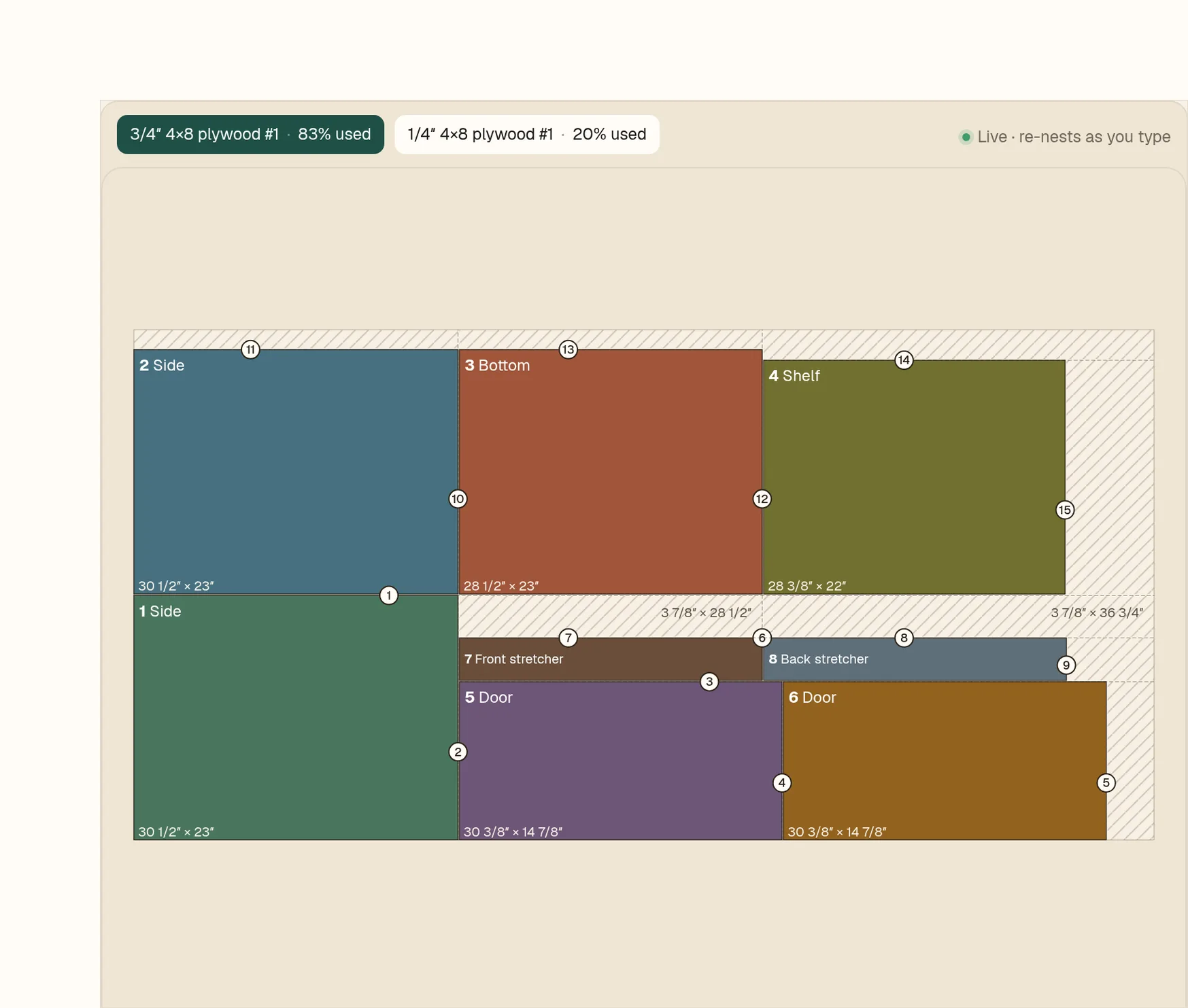
- 1Sheet tabs show each sheet and how much of it is used.
- 2Part number and name. Numbers run across the whole job, so sheet 2 carries on the count.
- 3The part’s size, length × width.
- 4Circled numbers are the cut order.
- 5Hatched areas are offcuts and waste.
- 6Live: the nest re-nests as you type.
Find a part
- 1Hover a row in the parts table.
- 2That part stays bright on the sheet and the others dim.
- 3Hovering a part on the sheet works the same way.
It re-nests as you type
- 1Change the Shelf quantity from 1 to 3.
- 2The nest updates right away.
- 3Set it back to 1 and the layout comes back.