How to mark edge banding per edge and total it
Mark which edges of each part get banding. Pro adds them up into one length per sheet material.
Mark edges on a part
Every part has a Band cell. The numbers match the list.
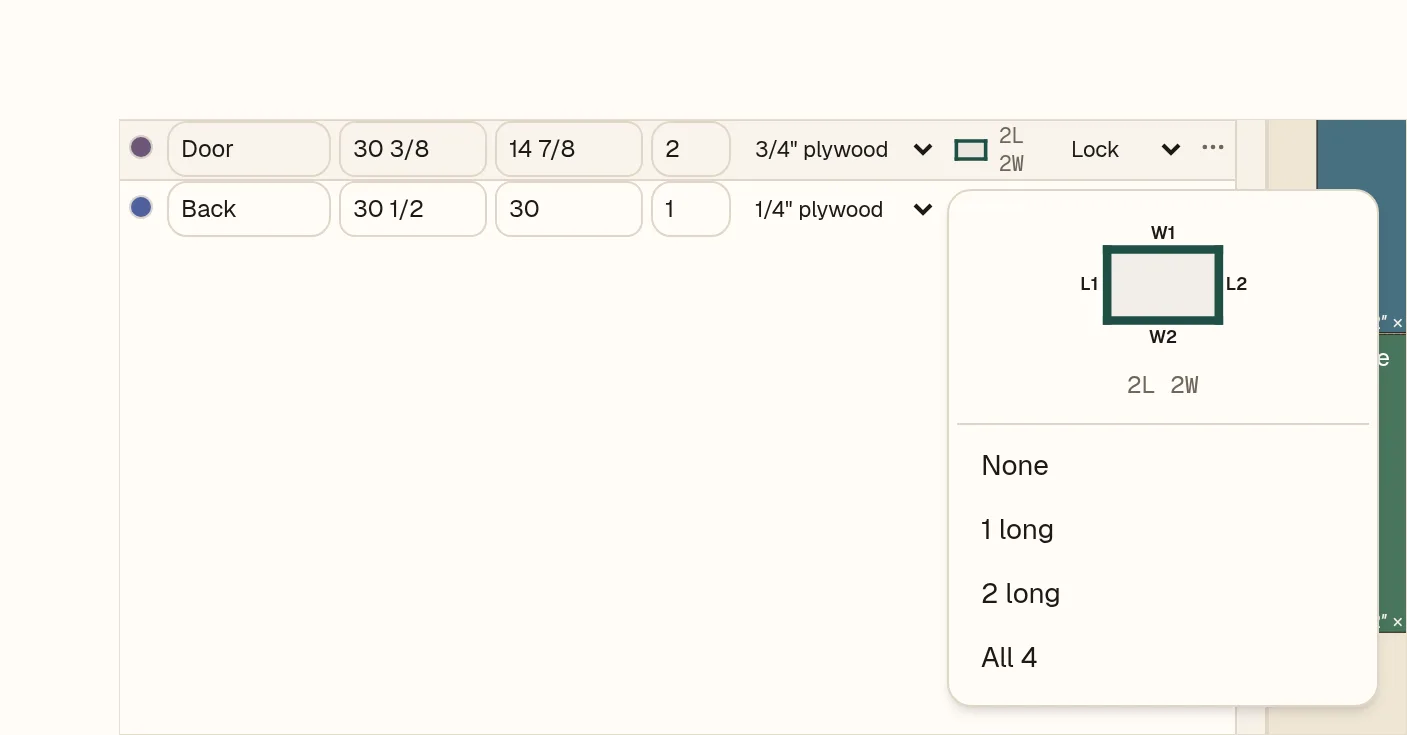
- 1Click a part’s Band cell to open the picker.
- 2L1 and L2 are the long edges. Click one to tick or untick it.
- 3W1 and W2 are the short edges.
- 4The summary updates as you click, for example 2L 2W.
- 5Or pick a preset: None, 1 long, 2 long or All 4.
On a phone, tap a part to open its card. The same edges and presets sit under Band.
Toggle edges
- 1Open the shelf’s Band cell.
- 2Click L2, then W1. Banded edges draw thick in the cell.
- 3Press Esc or click away to close it.
Banding total (Pro)
The total is in the Shop tab.
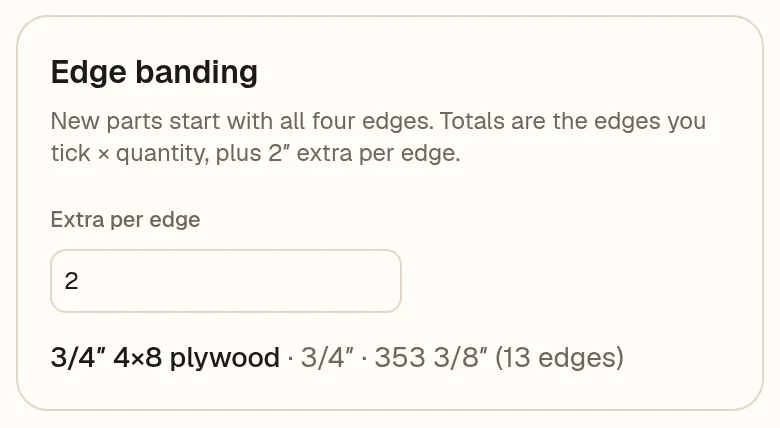
- 1Extra per edge is added to every banded edge. It starts at 2″.
- 2One total per sheet material: the edges you tick × quantity, plus the extra.
Totals are in the job’s units. Marking edges is free; the total is part of Pro.