How to add parts to a cut list (and use quick add)
A cut list is every part with its name, size and quantity. CutBore nests it on your sheets as you type.
The parts table
One row per part. The numbers match the list.
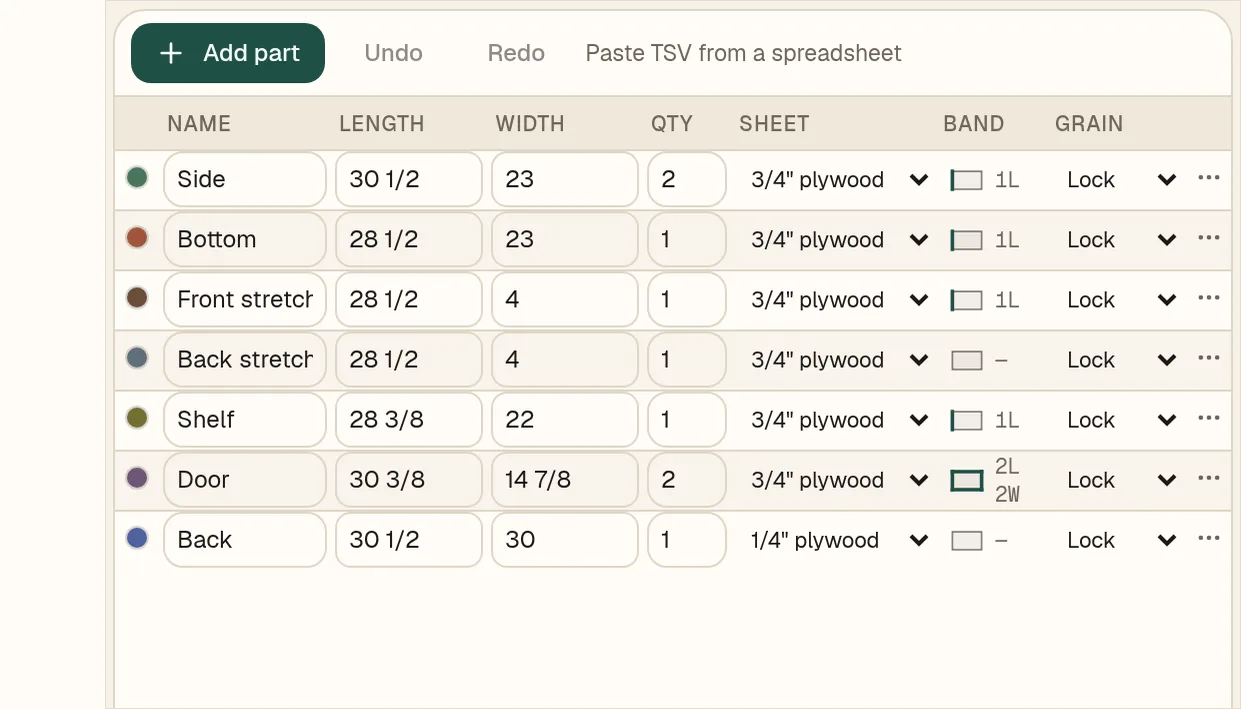
- 1+ Add part adds an empty row.
- 2Name the part. Names like B1 side keep parts from the same cabinet together.
- 3Length and Width. Fractions like 28 1/2 and decimals both work.
- 4Qty is how many of that part you need.
- 5Sheet picks the material it is cut from. New parts start on the first material.
- 6Paste TSV from a spreadsheet takes rows copied from a spreadsheet.
Quick add
Type a whole part on one line.
- 1Click the Quick add box under the table.
- 2Type name length x width xQty, for example Drawer front 6 x 28 1/2 x2.
- 3Press Enter. The row appears and the nest re-flows.
The first number is the length and the second is the width. Leave off the quantity for one part.