How to use cut mode on your phone at the saw
One cut at a time, big enough to read from the saw. Tap Cut next to Materials and Parts at the top of any job, or Start cutting. Cut turns orange while you cut.
What is on the screen
An annotated phone screen. The numbers match the list.
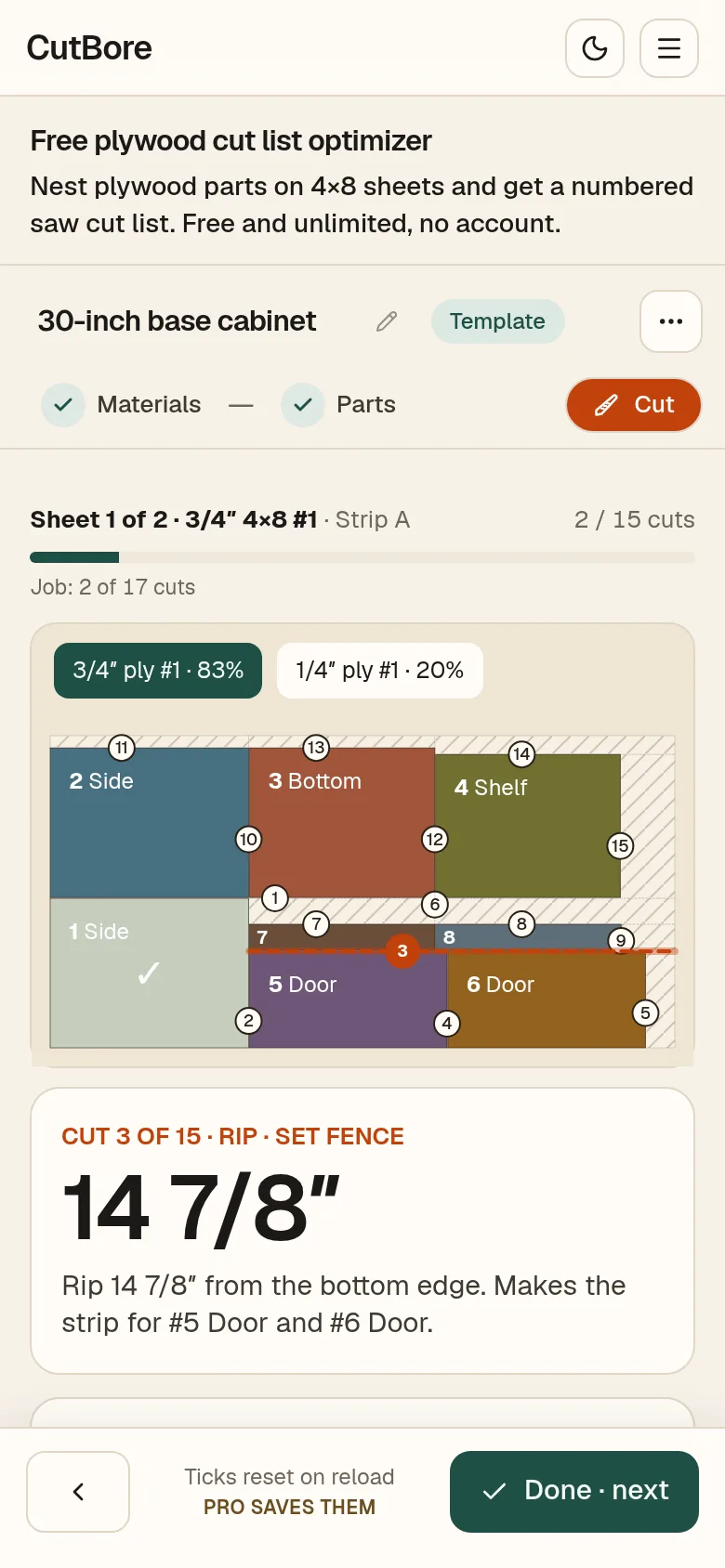
- 1Cuts done on this sheet.
- 2The next cut is the red line on the sheet.
- 3The card: rip or crosscut, the fence setting, and what the cut frees.
- 4Done · next ticks the cut and moves on.
- 5◀ goes back and unticks the last cut.
- 6Freed parts get a tick on the sheet.
Working through a sheet
- 1Make the cut, then tap Done · next.
- 2When a cut frees a part, the part gets its tick, here #8 Back stretcher.
- 3Made a mistake? ◀ goes back and unticks.
Between sheets
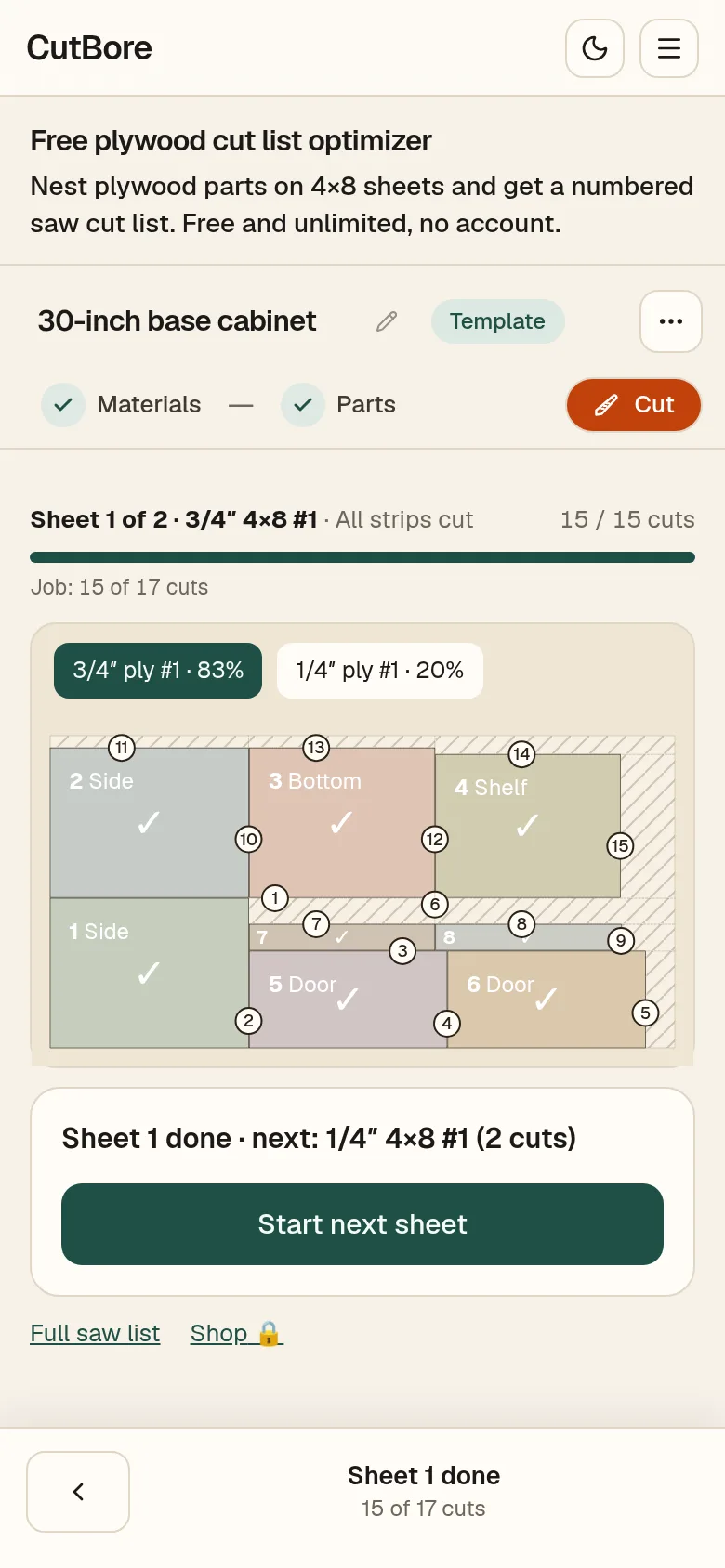
- 1The card says the sheet is done and what is next.
- 2Tap Start next sheet.
On a computer
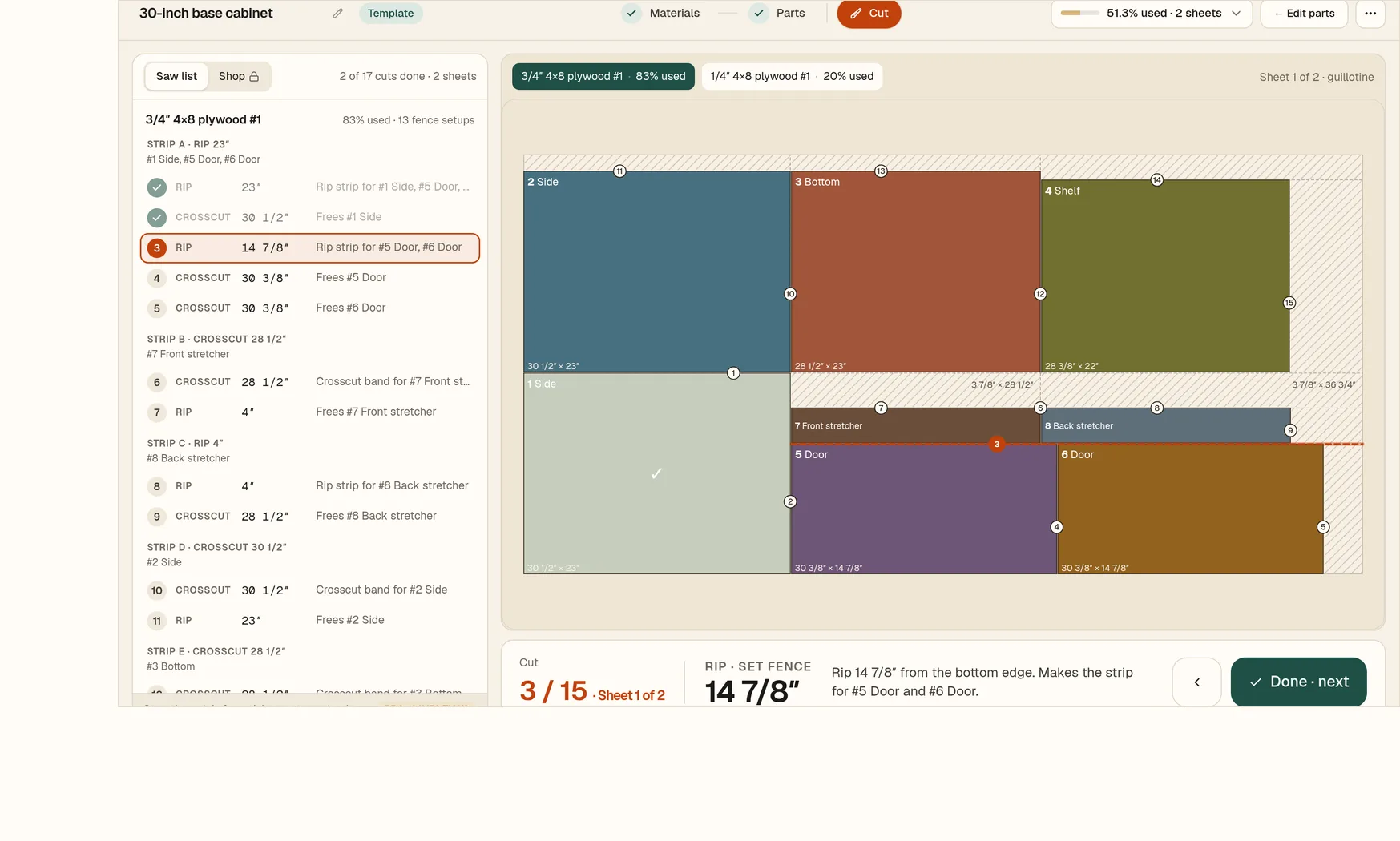
- 1Saw list shows every cut, grouped by strip.
- 2Done · next moves to the next cut.
- 3◀ goes back one cut.
Cut mode works on a phone, and on a tablet or computer in landscape.